“A new tool means starting from zero.”
Pick up where you are
Your recent posts, with their comments and reactions, appear in the calendar.
Import your recent Facebook and Instagram posts, with their comments and reactions, straight into your calendar. On every plan, FREE included.


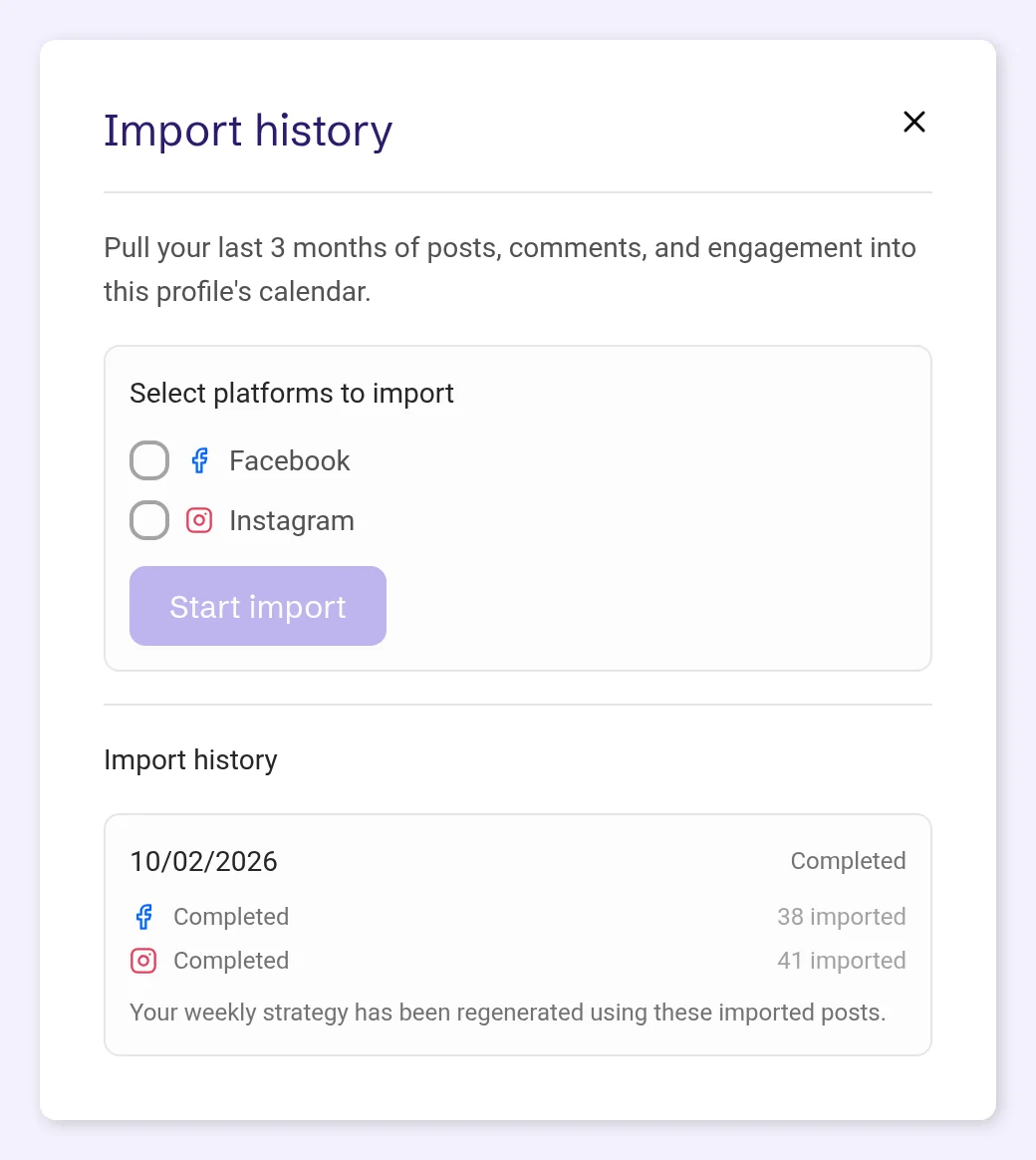
From your profile card, Import history pulls in the 3 calendar months before you start: each post’s text or caption, its photos and videos (carousels included), its format, all its comments, and its total reactions or likes and comment count.
The posts land in your calendar as published posts. Posts that are already in POSTIVA are skipped and counted as skipped, so you can run the import again later.
The import runs in the background. You get a notification and an email when it starts and when it’s finished. Every run is listed under Import history, with its status and how many posts were imported or skipped on each platform.
On paid plans, the first complete import that brings in at least one post also refreshes this week’s strategy using the imported posts.
“A new tool means starting from zero.”
Your recent posts, with their comments and reactions, appear in the calendar.
“My old comments are scattered across apps.”
All comments on the imported posts come in too.
“I don’t want duplicates.”
Posts already in POSTIVA are skipped, so running the import again is safe.
“I can’t sit and watch an upload.”
Start it and get on with your day. A notification tells you when it’s done.
The import needs a connected Facebook or Instagram account on the profile. Without one, the window says: “Connect a Facebook or Instagram account for this profile before importing history.”

On the profile card, open the ⋮ menu and choose Import history. Only the profile owner sees this option. The import never starts on its own.

Under Select platforms to import, tick Facebook, Instagram or both, then tap Start import.
The import runs in the background, and the button shows In progress until it’s finished. One import runs at a time. You get a notification and an email when it starts (“We’re importing your post history”) and when it’s done (“Your post history import is done”).

Import history in the same window lists every run, newest first: its date, a status (In progress, Completed, Partial or Failed) and how many posts were imported or skipped on each platform. The imported posts are in your calendar as published.

If a platform keeps returning errors, the import stops early for that platform. If the rest of the run finished, you still get “Your post history import is done”, with a note about the platform that stopped, and the run shows Partial. Only a run that fails completely sends “Your post history import couldn’t finish”. Either way, reconnect the account, then start the import again.

No. You start it yourself from the ⋮ menu on the profile card, with Import history.
The 3 calendar months before you start the import.
No. Historical import works with Facebook and Instagram.
No. Posts already in POSTIVA are skipped and counted as skipped.
If a platform keeps returning errors, the import stops early for it. You still get the “import is done” message, with a note about that platform, and the run shows Partial. If the whole run fails, you get “Your post history import couldn’t finish”. Reconnect the account and start the import again.
Yes. Historical import is on every plan, FREE included.
Create an account, connect Facebook or Instagram and import your last 3 months, on the FREE plan.
No card required. FREE forever.