“I don't know what to write about.”
No more blank page
Most days of the week start with a main topic and a format. You decide how to make it yours.
POSTIVA turns your business goal into a plan for the week: a main post for the days ahead, the reason behind it, and an honest look at what worked once the week is over.
Once you set up your business profile, POSTIVA prepares your first weekly strategy. It covers the current week, so you can start straight away. Days that have already passed don't get a main post.
The Strategy tab sets the goal and focus for the week and explains the thinking behind it, so every post has a purpose. It also names one thing you're testing this week, and how you'll know it worked.
The Plan tab walks you through the week day by day: the main post, its format and why the topic works. When you're ready, one tap opens the editor with the post already set up.
The Results tab follows the week as it happens. A couple of days after it ends, you see what worked, what needs attention and what to try next.
Explore a sample plan
Sample plans for fictional businesses. Yours is built around your profile.
“I don't know what to write about.”
Most days of the week start with a main topic and a format. You decide how to make it yours.
“I have no strategy.”
The week has one goal, and “Why this plan” shows how POSTIVA got there. Posts work together instead of at random.
“I start, then burn out.”
One day at a time, with a clear status for each. You always know what's next and what's already done.
“I don't know what works.”
The Results tab shows what worked and what needs attention, plus a recommendation for the next strategy.
Describe your business. POSTIVA prepares your first strategy for the current week, on every plan including FREE. When it's ready, the app opens Weekly Strategy and shows you around: Strategy, Plan, Create post and the AI chat.

Start with the goal and focus for the week. Why this plan walks through What we noticed, What this means and So here's what we're doing.
What we're testing this week shows Our assumption, What we're doing, How we'll know it's working and What we want to learn. This week's main content lists the planned posts.

Each day shows its status: To prepare, Draft, Scheduled, Published, Couldn't publish or Not published. The main post shows its format (Post, Carousel or Reel) and Why this topic works.
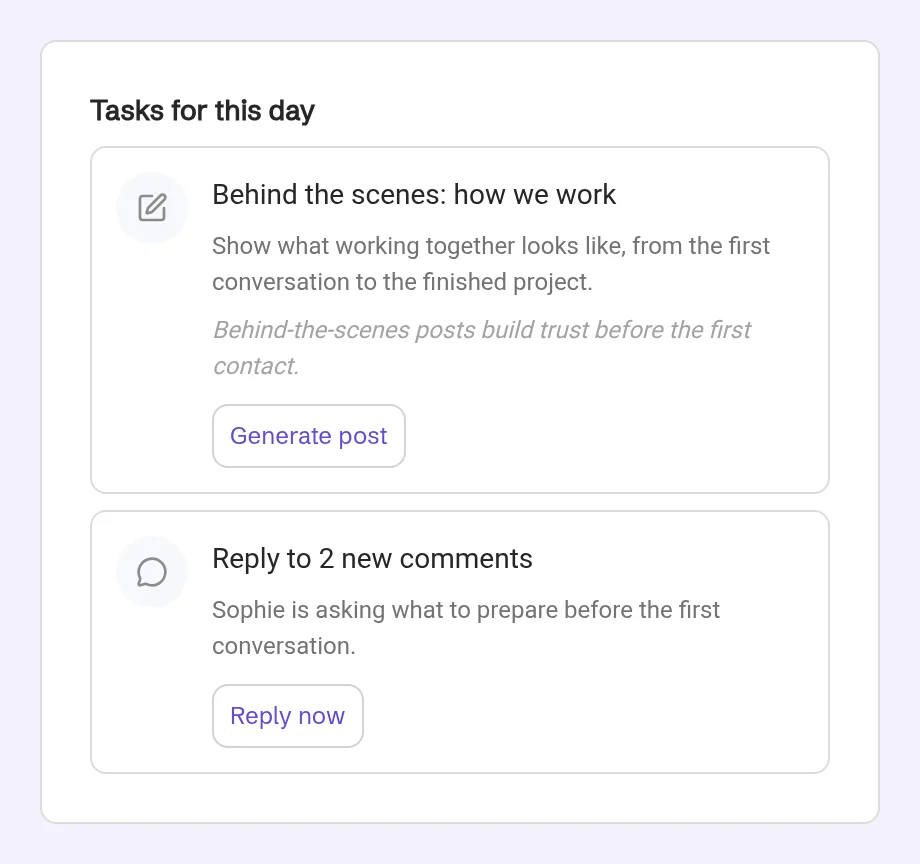
Some days also have Tasks for this day, and More ideas for the selected day gives you six extra ideas.
The editor opens with the format, date and suggested time already set. The AI chat already has the brief, so you can go straight to adding your own details.

How this week is going shows each planned post with its status, plus Extra publications you made outside the plan.
After Sunday you'll see Execution is complete. A couple of days later, Results ready shows what worked, what needs attention, platform metrics, the outcome of the week's experiment and a recommendation.

Use Previous week and Next week to switch between weeks. On CREATOR and PRO, a new strategy arrives every Friday and a Next week's plan is ready banner lets you know.

Your first strategy is free on every plan, including FREE. It is prepared once, right after you create your profile. A new strategy every week comes with CREATOR and PRO.
On CREATOR and PRO, every Friday at 12:00 in your profile's time zone, for the following Monday to Sunday. A “Next week's plan is ready” banner lets you know.
No. You don't need to connect a social account to see your first plan. Connect Facebook, Instagram or LinkedIn when you want to publish.
Plan items are not tied to one platform. You choose the channels when you create the post: Facebook, Instagram or LinkedIn.
The Results tab follows the week live. Final results arrive a couple of days after the week ends, once the platforms have reported their metrics.
Describe your business and get a strategy shaped around its goal, offer and audience.
No card required. FREE forever.